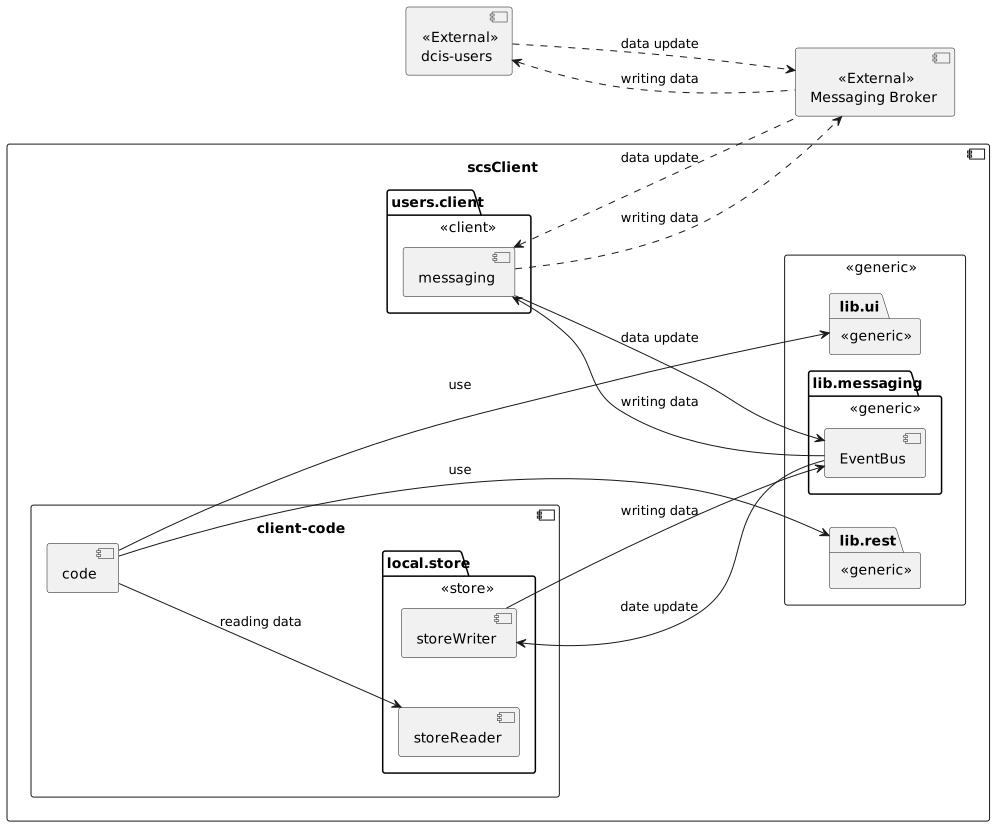
Handling asynchronously transfered data
This section describes the handling of the asynchronous data transfer within the DCIS. It may look a bit overcomplicated at first, but there is reason behind this madness.
As example we show the domain of dcis-users but the same pattern is applied to every other domain with data lead, too.
So a single client may have multiple of the dcis-*-client and dcis-*-store libraries in use.
1. Defintion of library types
There are three different types of libraries provided for usage.
- Generic Libraries
-
These libraries provide generic services used for certain architectural elements. Currently, there are three of them:
-
messaging
-
REST handling
-
UI handling
-
- Client Libraries
-
Libraries for receiving asynchronous data. Every SCS sends out events to the messaging broker for data changing actions. These client libraries offer an easy way to connect to these events. They provide an SPI where the implementation of the local SCS can plug in the handling of these events.
- Store Libraries
-
Libraries for storing the data locally. Normally we store via JPA. These libraries implement the SPI for the client library and store the "canonical data format" (I don) t have a better name for it). But these libraries are optional and can be ignored by the SCS if they prefer other data format or organization.
2. Using the canonical store library
In this example, the client SCS just uses the library dcis-store-users and let the magic happen.
-
The java library
de.paladins-inn.torganized-play:dcis-users-storeneeds to be added to the dependency list of the client. Thede.paladins-inn.torganized-play:dcis-users-clientwill be automatically included. -
The liquibase master changelog needs to include
db/users/master.ymlas changelog to get the updates to the SQL tables. -
The package
de.paladinsinn.tp.dcis.users.storeneeds to be added to-
@EntityScan -
@JpaRepositoryScan
-
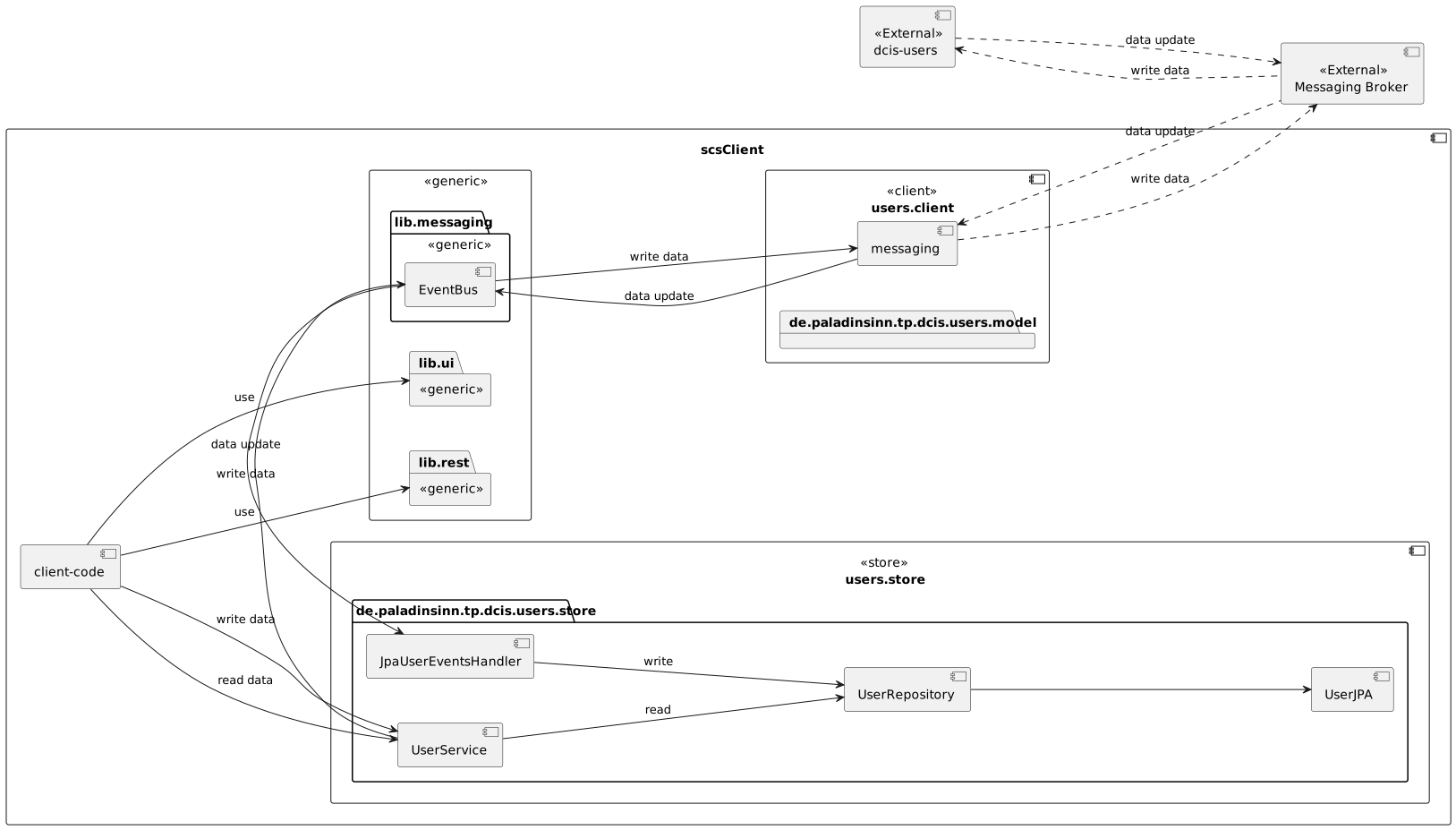
The UserJPA is only used within the users.store component.
It will provide a User as specified in the users.client component.
3. Use a locally defined data store
-
The java library
de.paladins-inn.torganized-play:dcis-users-clientneeds to be added to the dependency list of the client. -
The user has to implement the special handler for the data that needs to be stored. In this example it’s the
UserEventsHandlerinterface. The class has to be annotated with@Serviceand the librarydcis-store-usersmust not be included.